The fast way through a stack of SWIFT MT messages.
Open-source desktop tool for everyone working with SWIFT MT messages. Load any mix of MT files into one harmonized entries table, read the ISO 15022 meaning of every field, and compare messages side by side.
-
Simplicity
One window, one table, one click to detail.
-
ISO 15022 native
Works directly with the ISO 15022 message model internally — messages are read with Prowide Core and shown without loss of information.
-
Tabular overview
Every message lands in one sortable, filterable table — click any row to open a full field-by-field detail view.
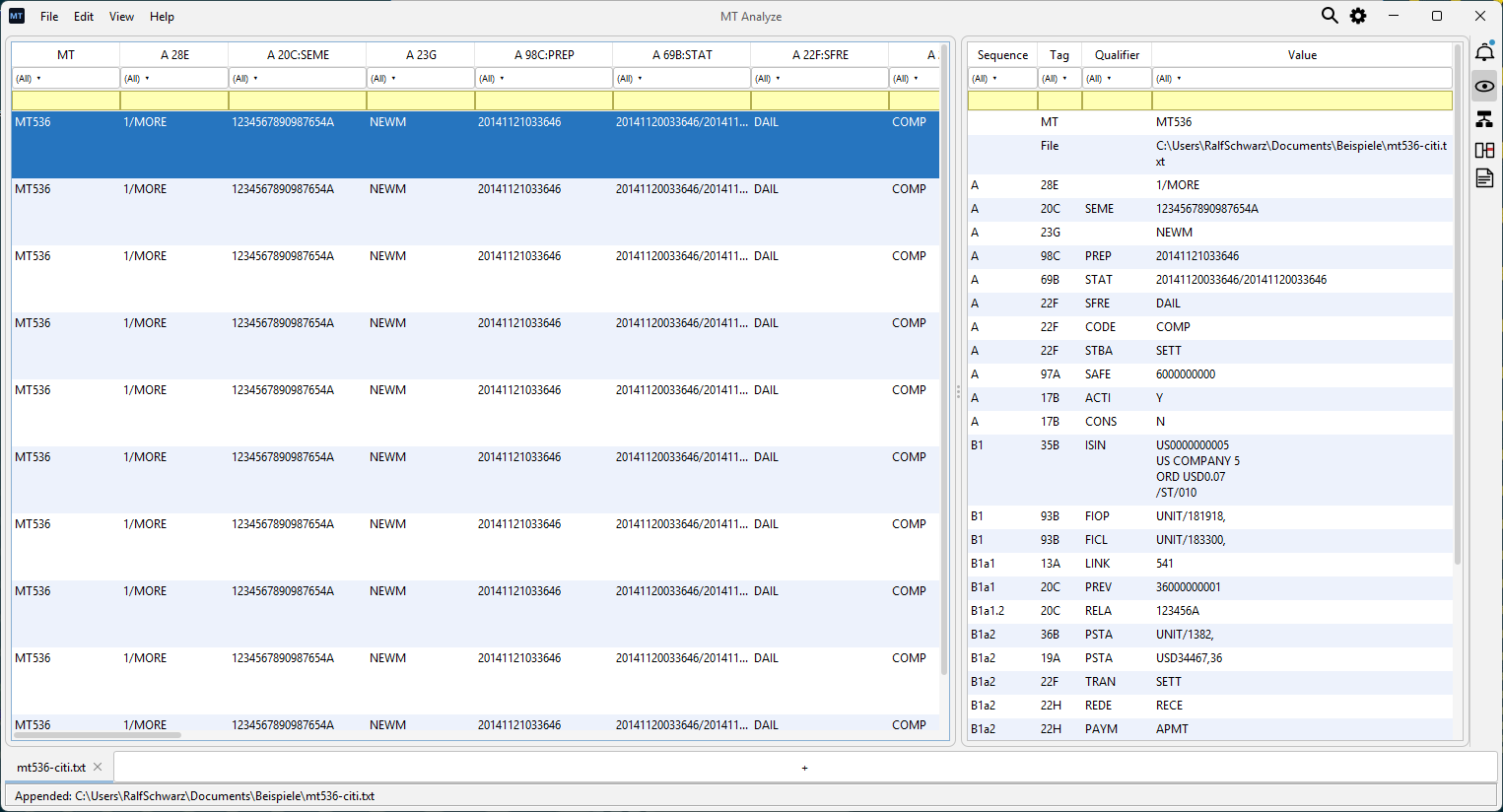
One harmonized entries table
Drop in any number of files with mixed MT types. Statements (536, 940) become one row per entry; simpler MTs a single row — all sortable, filterable and bookmarkable in one view.
Detail view on every row
Click a row for Tags (with ISO 15022 descriptions), Components and Source. Select two or more rows and the Diff tab opens automatically with deviating cells highlighted.
Made for everyday work
Excel-style filters and a quick expression language (=EUR, ^DE, !=FREE). Right-click Copy on the table or detail view to paste straight into Excel. Persistent notes, bookmarks and .mtd sessions.
Supported message types
MT Analyze ships with type-aware handling for the SWIFT MT messages most relevant to securities post-trade, corporate actions and cash reporting. Files of other MT types still parse via Prowide Core — if the type can’t be detected, you’ll be prompted to pick one.
Securities statements
Settlement instructions
Settlement confirmations
Settlement advice
Trade confirmation and allegement
Transaction processing
Triparty agent
Corporate actions
Settlement allegement
Cash statements
Parsing is provided by Prowide Core (Apache 2.0).